MS SharePoint Server
SharePoint Server is one of Microsoft’s server solutions. Provides a secure place to store, organize, or share information and data. The most important functions include the creation of intranets, extranets, corporate social networks, corporate search, and corporate application storage.
Editions
- SharePoint Server (doesn’t have editions on Server side, just CALs)
- SharePoint Server Subscription Edition (Online)
Versions
- SharePoint Enterprise 2016
- SharePoint Enterprise 2019
Requirements
- Microsoft Windows Server
- SharePoint Server solution has an infrastructure requirement for Windows Server.
- Users therefore need to be covered with the relevant licenses for this product.
- Microsoft SQL Server
- SharePoint Server solution has an infrastructure requirement for Microsoft SQL Server.
- Users must be licensed in the underlying infrastructure with the relevant licenses.
License model
Server License + CAL
Purchase a Server license for each server, and then purchase Client Access Licenses (CALs) for users or devices.
- Server License
- SharePoint Server License
- Client Access License (CAL)
- SharePoint Standard CAL - User / Device CAL
- SharePoint Enterprise CAL - User / Device CAL
[!WARNING]
- SharePoint Enterprise CAL is only the additive CAL.
- SharePoint Enterprise CAL can be added only to user / device with assigned SharePoint Standard CAL.
License Rules
Server License (per Instance)
- Microsoft SharePoint Server license must be assigned to each server to run SharePoint Server services.
- For Products under the Server/CAL License Model, customer may use one Running Instance of server software in either a Physical OSE or Virtual OSE on a Licensed Server for each License it acquires.
Client Access License (CAL)
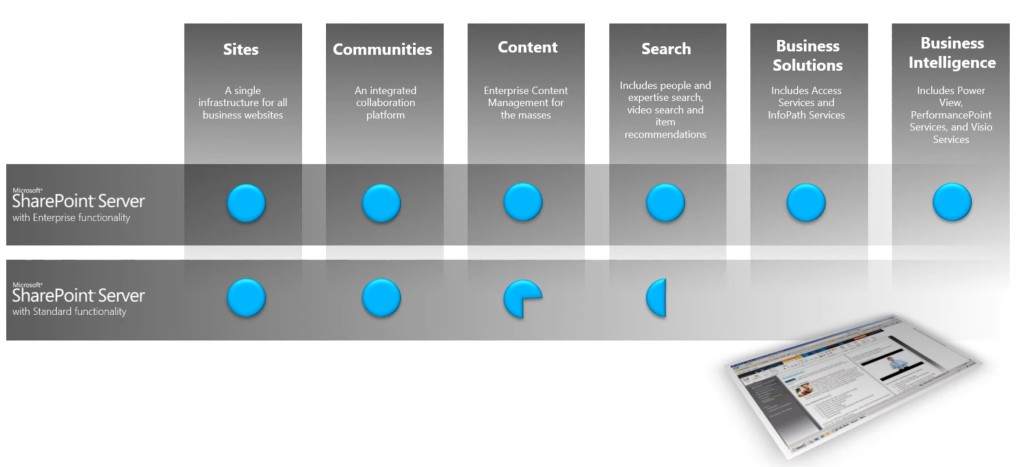
Microsoft SharePoint Server offers different levels of functionality, and there are CALs which correspond to this.
- SharePoint Standard CAL
Delivers only the core capabilities of SharePoint.
- Sites - a single infrastructure for all your business websites.
- Communities - an integrated collaboration platform.
- Content - enterprise content management (ECM) for the masses.
- Search - people and expertise search, visual previews, visual best bets.
- SharePoint Enterprise CAL (additive)
Delivers the full capabilities of SharePoint.
- Sites - a single infrastructure for all your business websites.
- Communities - an integrated collaboration platform.
- Content - ECM for the masses.
- Search - standard search features plus entity extraction, video search, item recommendations.
- Business solutions - includes Access Services and InfoPath Services.
- Business Intelligence - for everyone (includes Power View, PerformancePoint Services, Excel Services, and Visio Services).
Deployment Model Reference:
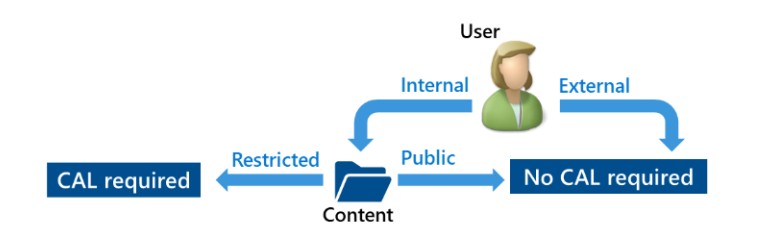
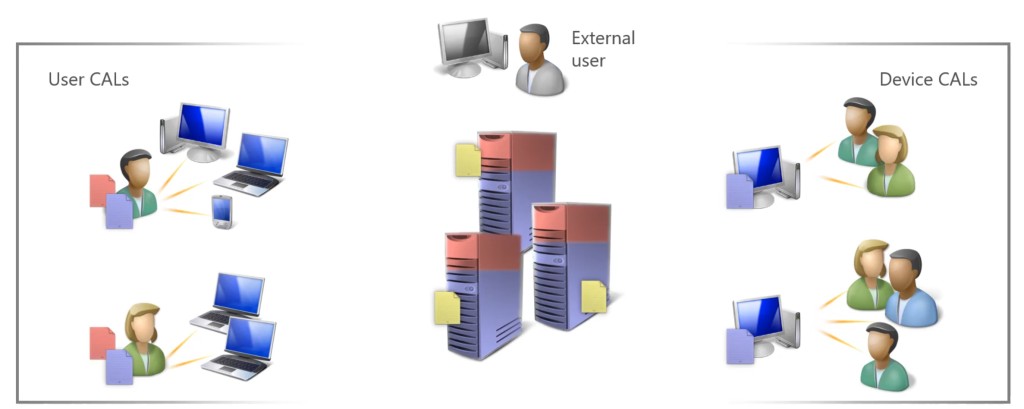
Requirement of Client Access Licenses (CALs) for internal users is based on content type.
SharePoint Server can be implemented in 3 different deployment scenarios “Intranet”, “Extranet” and “Internet”.
- Scenario: Intranet
Information that is accessible inside the firewall to internal users only.
- SharePoint Server license required for Server.
- Client Access Licenses (CALs) for either internal users or devices.
- External users does not have access.
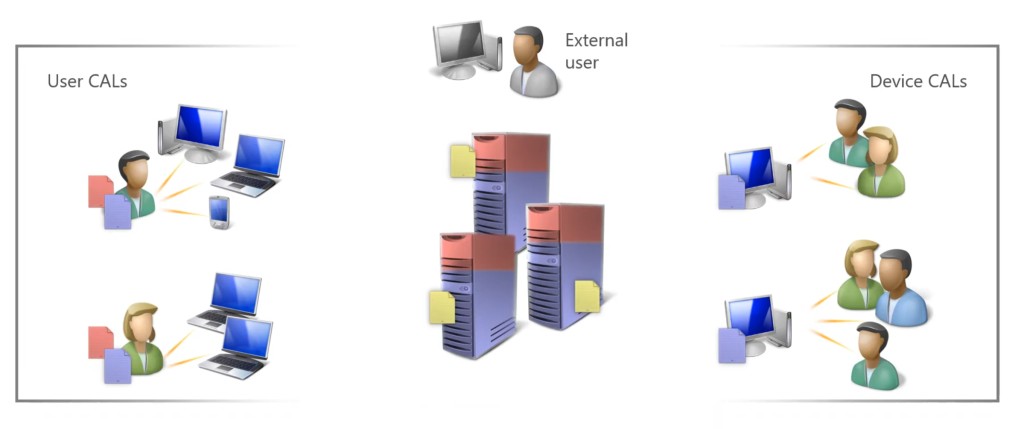
- Scenario: Extranet
Information that is accessible inside the firewall to internal users and named external users only.
- SharePoint Server license required for Server.
- Client Access Licenses (CALs) for either internal users or devices.
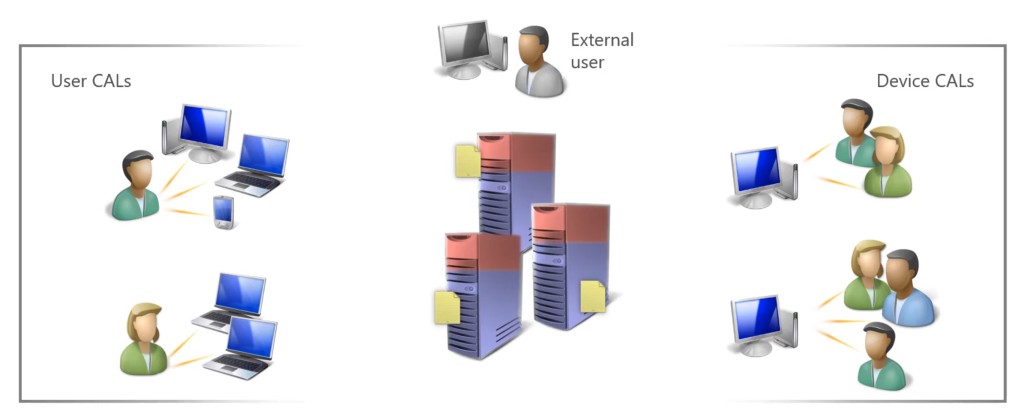
- No CALs required for external users.
- Scenario: Internet
Information that is publicly accessible to all internal and external users.
- SharePoint Server license required for Server.
- No CALs required for either internal users or devices.
- No CALs required for external users.
License Mobility & Reassignment
- License Mobility is not available for SharePoint Server.
- Licenses can be reassigned to servers no more frequently than once every 90 days.
- License Mobility across Server Farm is benefit of Software Assurance.
License Suites
- Microsoft Core CAL Suite
Contains SharePoint Server Standard CAL.
- Microsoft Enterprise CAL Suite
Contains SharePoint Server Enterprise CAL.
Software Assurance
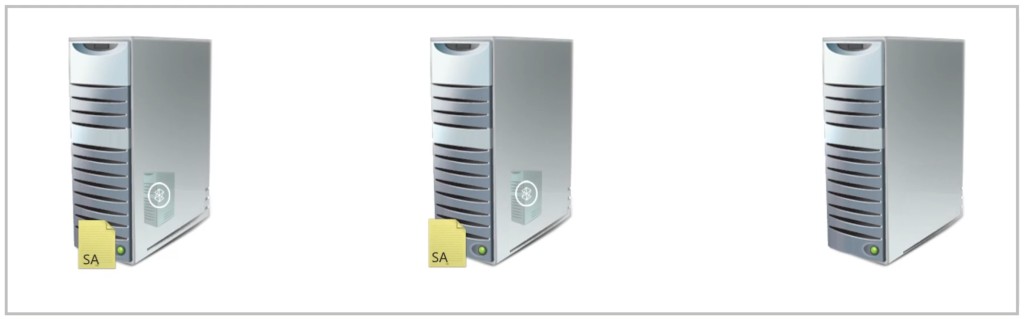
- SharePoint Server licenses purchased with Software Assurance have License Mobility across Server Farms rights which allows the reassignment of Server licenses to other physical servers in a server farm as often as required.
- Customers with active Software Assurance may alternatively deploy SharePoint Server Subscription Edition.
- Disaster Recovery Rights available to SA customers to use software for conditional disaster recovery purposes. For each Instance of eligible server software Customer runs in a Physical OSE or Virtual OSE on a Licensed Server, it may temporarily run a backup Instance in a Physical OSE or Virtual OSE on either, another one of its Servers dedicated to disaster recovery.
Licensing External Users
No CALs are required for external users.
Downgrading Rights
None.
Licensing Virtual Machines (VMs) / Containers
A Server license must be assigned to a single physical server which licenses SharePoint Server to be run in either the physical operating system environment or a single virtual machine on that server.
Failover Scenarios
Server License without SA
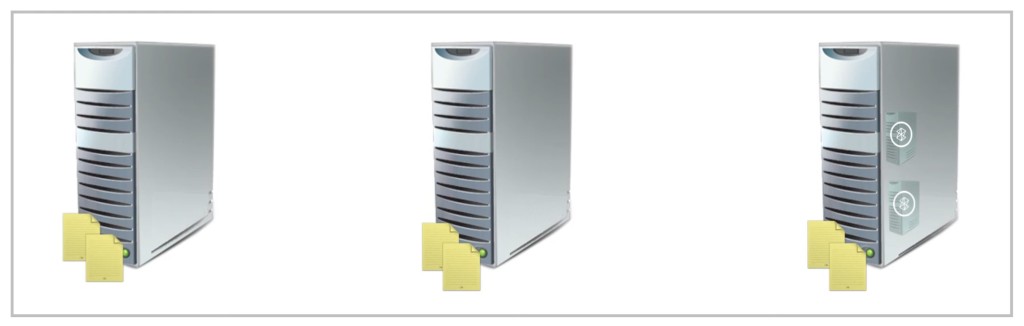
- Assign Server license to a physical server to receive rights to run the application instance in either a physical or virtual operating system environment.
- The Server license must be assigned to each server in Server Farms for single Exchange Server in automatic failover scenario.
Server License with SA
- Assign Server license to a physical server to receive rights to run the application instance in either a physical or virtual operating system environment.
- Adding the Software Assurance (SA) to the license provides rights for License Mobility across Server Farms. So the Server license can be moved to another physical server as often as required.