MS Project Server
Microsoft Project is project management software product, developed and sold by Microsoft. It is designed to assist a project manager in developing a schedule, assigning resources to tasks, tracking progress, managing the budget, and analyzing workloads.
Microsoft Project Server stores project information in a central SQL Server database, protected from unauthorized access and corruption. A Project Administrator can control security defining users and access rights. The Project Center supports reports across an organization at the project level.
Editions
Server
- Microsoft Project Server (single edition)
Clients
- Microsoft Project Standard (offline)
- Microsoft Professional Standard
- Microsoft Web App (webapp)
Versions
- Microsoft Project Server 2016 (obsolete)
- Microsoft Project Server 2016
- Microsoft Project Server 2019
Requirements
- Microsoft Windows Server
- Skype for Businesses Server solution has an infrastructure requirement for Windows Server.
- Users therefore need to be covered with the relevant licenses for this product.
- Microsoft SQL Server
- Skype for Businesses Server solution has an infrastructure requirement for Microsoft SQL Server.
- Users must be licensed in the underlying infrastructure with the relevant licenses.
- Microsoft Sharepoint Server
- Microsoft Project Server solution has an infrastructure requirement for Microsoft SharePoint Server.
- Users must be licensed in the underlying infrastructure with the relevant licenses.
License Model
Server License + CAL
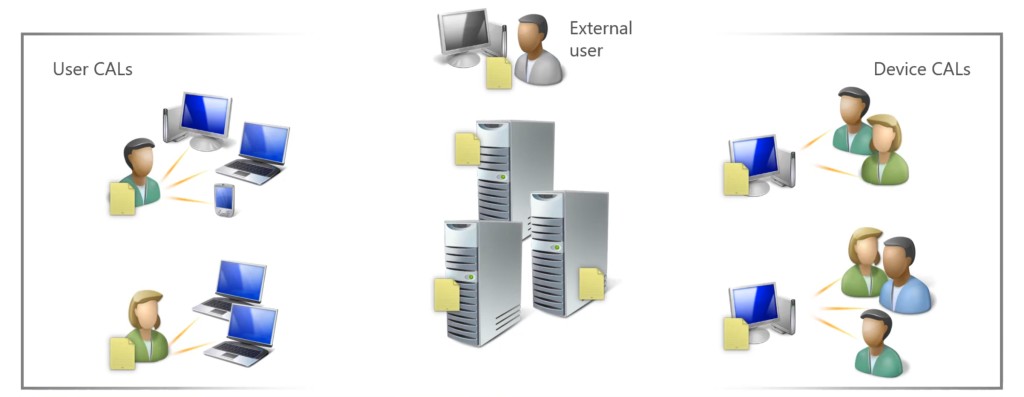
Purchase a Server license for each server, and then purchase Client Access Licenses (CALs) for either users or devices.
- Server License
- Project Server License
- Client Access License (CAL)
- Project Server Standard CALs - User / Device
[!TIP]
- Microsoft Project Server has only single type of license.
- Microsoft Project Server has only single type of CAL - Project Server Standard CAL.
License Rules
Server License (per Instance)
- A single server license must be assigned to the physical server to run single instance.
Client Access License (CAL)
- Purchase Client Access Licenses (CALs) for either users or devices connecting to Project Server.
[!TIP]
Organizations with Project Professional 2021 licenses also receive one Project Server 2019 Device CAL for each license.
License Mobility & Reassignment
- License Mobility is not available for Exchange Server.
- Licenses can be reassigned to servers no more frequently than once every 90 days.
License Suites
None.
Software Assurance
- Exchange Server licenses purchased with Software Assurance have License Mobility across Server Farms rights which allows the reassignment of Server licenses to other physical servers in a server farm as often as required.
- Disaster Recovery Rights available to SA customers to use software for conditional disaster recovery purposes. For each Instance of eligible server software Customer runs in a Physical OSE or Virtual OSE on a Licensed Server, it may temporarily run a backup Instance in a Physical OSE or Virtual OSE on either, another one of its Servers dedicated to disaster recovery.
Licensing External Users
- External users are users who are not the licensee’s or its affiliates’ employees or on-site agents or contractors.
- External users are licensed with either User or Device CALs.
Downgrade Rights
None.
Licensing Virtual Machines (VMs)/Containers
A Server license must be assigned to a single physical server which licenses Project Server to be run in either the physical operating system environment or a single virtual machine on that server.
Failover Scenarios
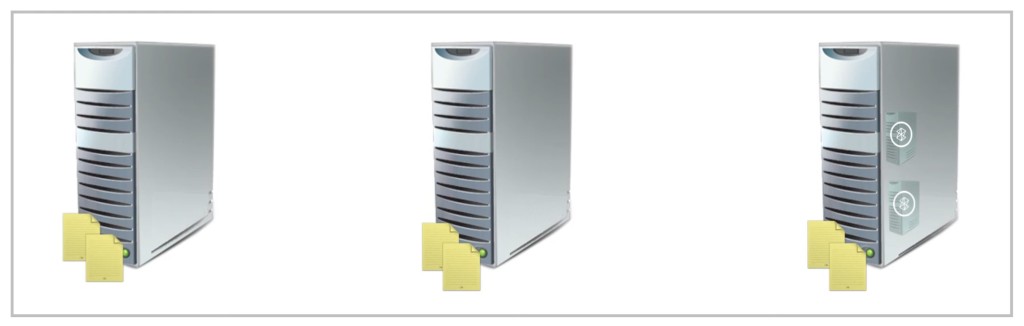
Server License without SA
- Assign Server license to a physical server to receive rights to run the application instance in either a physical or virtual operating system environment.
- The Server license must be assigned to each server in Server Farms for single Exchange Server in automatic failover scenario.
Server License with SA
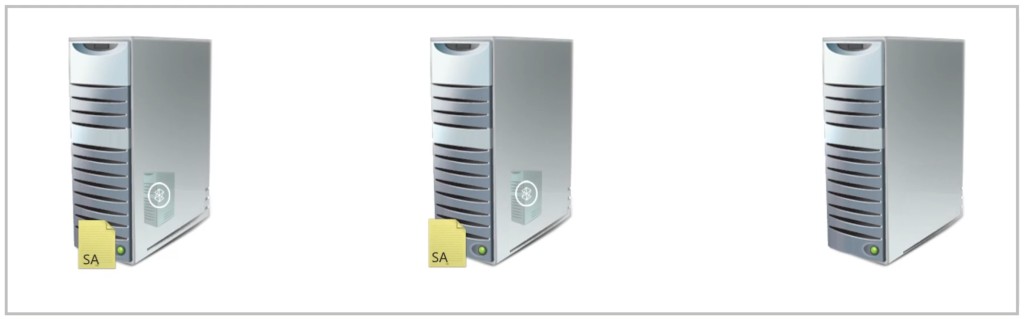
- Assign Server license to a physical server to receive rights to run the application instance in either a physical or virtual operating system environment.
- Adding the Software Assurance (SA) to the license provides rights for License Mobility across Server Farms. So the Server license can be moved to another physical server as often as required.
Project Server Clients
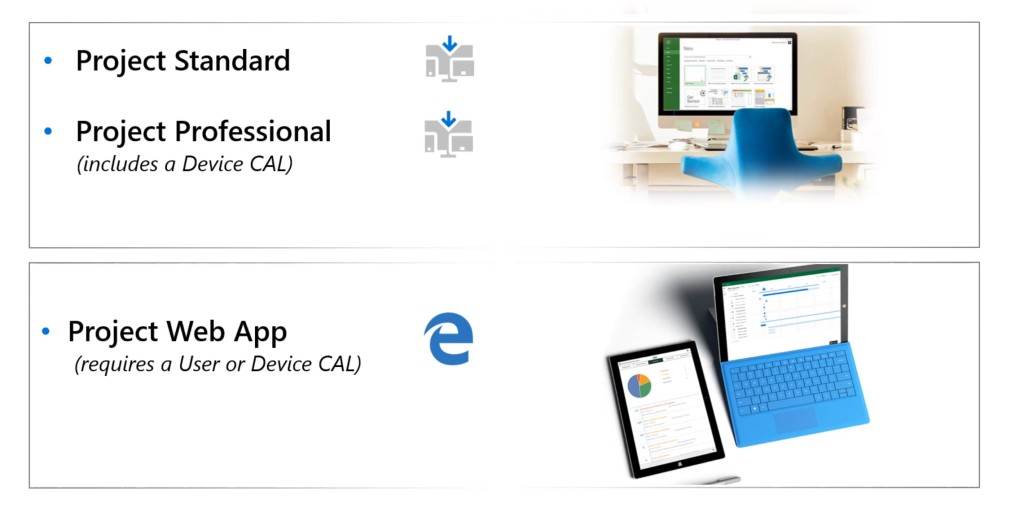
Users have a choice of clients to run Project software.
- Project Standard
Is a standalone desktop application for project managers to create and manage projects without connection to Project Server.
- Project Professional
Is a desktop application that enables project managers to create and manage projects, and publish them to Project Server to allow collaboration within the complete project team (includes device CAL).
- Project Web App
Is a browser-based interface that allows project managers, team members, and portfolio managers to work with and report on Project Server information (requires CAL).
Team member tooling reference:
| Member Role | Project Standard | Project Professional | Project Web App |
|---|---|---|---|
| Project Managers | ✓ | ✓ | ✓ |
| Project Management Office (PMO) | ✓ | ✓ | |
| Resource Managers | ✓ | ✓ | |
| Team Members | ✓ | ||
| Executives | ✓ | ||
| Portfolio Analyst | ✓ |