MS SQL Server
MS SQL Server is a Relational Database Management System (RDBMS) developed by Microsoft. A Relational database is based on a Relational Model architecture. The data is organized in tables(relations), and the tables are related to each other. Each table has rows and columns(attributes).
Editions
- Microsoft SQL Server Express
- Microsoft SQL Server Developer
- Microsoft SQL Server Standard
- Microsoft SQL Server Enterprise
Versions
- Microsoft SQL Server 2014 (obsolete)
- Microsoft SQL Server 2016
- Microsoft SQL Server 2017
- Microsoft SQL Server 2019
- Microsoft SQL Server 2022
License Models
The Microsoft SQL Servers can be licensed by 2 models:
- Server license + CAL
Purchase a SQL Server license for each server, and then purchase Client Access Licenses (CALs) for either users or devices.
- Core-based license
Purchase a SQL Server license for each core, as long as a minimum of 4 licenses are acquired per processor. No requirement to purchase Client Access Licenses (CALs) for either users or devices in this model.
License model reference:
| SQL Server Edition | Free License | Server + CAL | Core-Based |
|---|---|---|---|
| Express | ✓ | ||
| Developer | ✓ | ||
| Standard | ✓ | ✓ | |
| Enterprise | ✓ |
- Microsoft SQL Server Express and Microsoft SQL Server Developer are free to use without license requirement.
- Microsoft SQL Server Developer edition is restricted to the development / testing environment usage only.
- Microsoft SQL Server Express edition has limited database size, processor cores, maximum memory and more…
License Rules
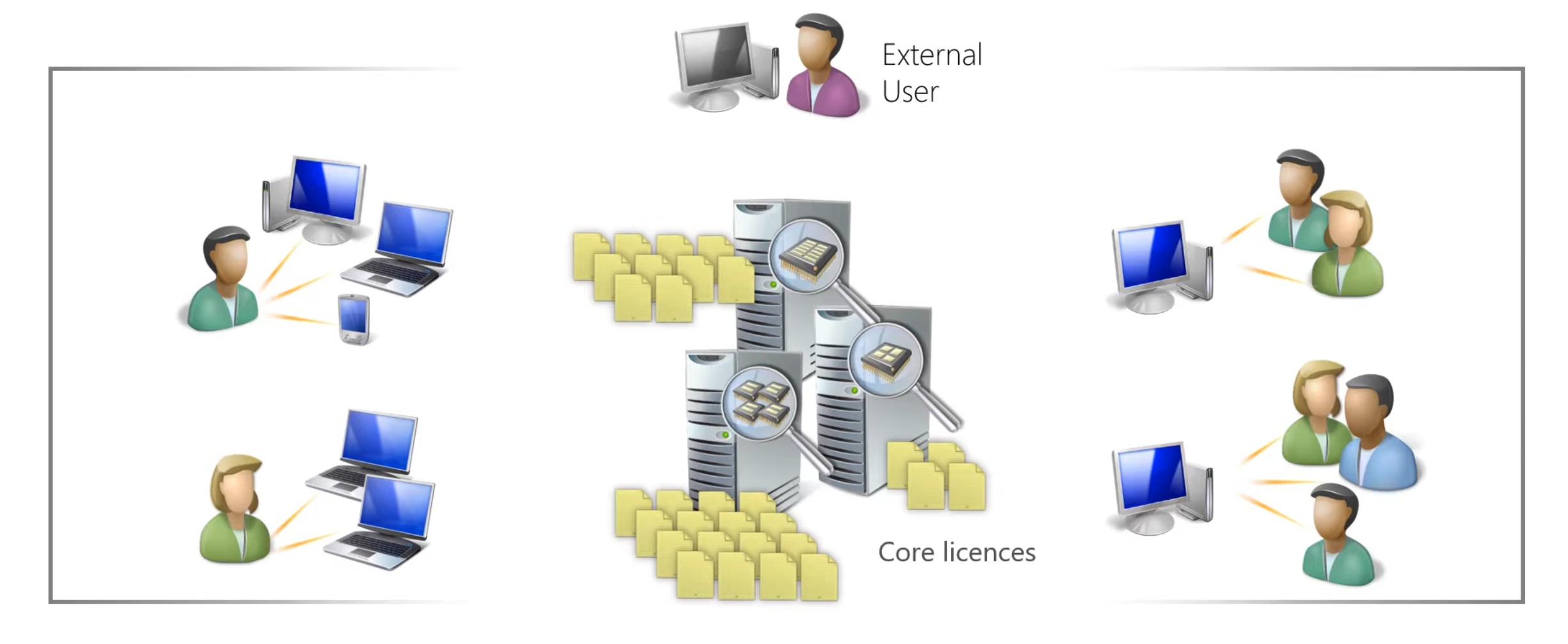
Core-based licensing
- Count the number of cores in the server.
- Buy that number of Core licenses, as long as a minimum of 4 licenses are acquired per processor.
- No CALs are required for internal or external users.
- Core licenses are acquired in 2-packs (can be split across servers).
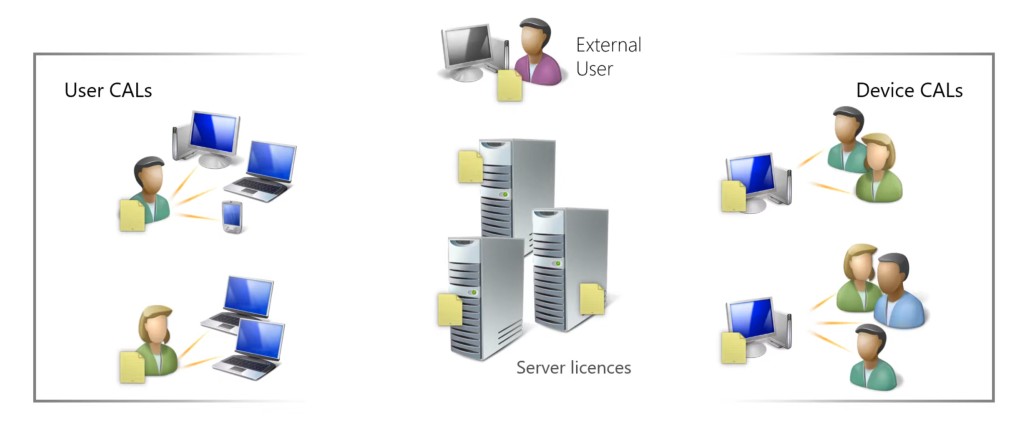
Server-based licensing
- Purchase a SQL Server license for each server.
- Purchase Client Access Licenses (CALs) for either users or devices.
- SQL Server CALS can be used against any SQL server regardless of platform or edition.
Note that even if a user accesses SQL indirectly through another server (for example when using a Line of Business application), a CAL is still required. This is often known as multiplexing.
License Mobility & Reassignment
- License Mobility is not available for Windows SQL Server.
- Licenses can be reassigned to servers no more frequently than once every 90 days.
- License Mobility across Server Farms is benefit of Software Assurance.
Related License Suites
- Microsoft Core CAL Suite
- Microsoft Enterprise CAL Suite
Software Assurance
- Provides License Mobility across Server Farms including Server license, Core-based license as well as User CAL license.
- Enterprise Core licenses with SA include the rights to run Power BI Report Server on a licensed server to generate data visualizations.
- Enterprise Core licenses with SA allows the running of Machine Learning Server for Hadoop on up to 5 servers for advanced analytics.
- Provides eligibility to purchase the Step-Up licenses to move from Standard Core License to Enterprise Core License.
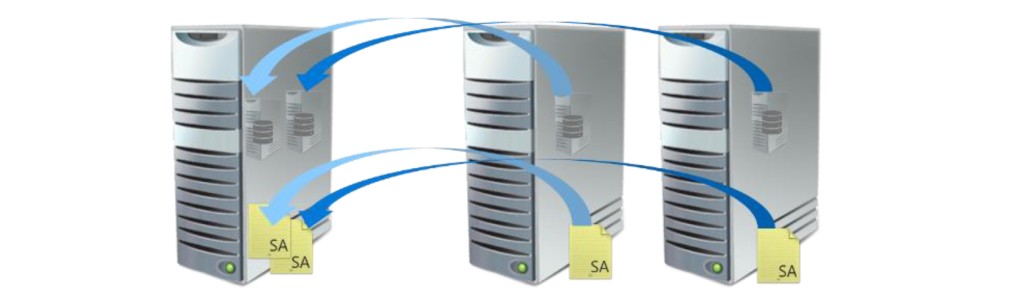
In the diagram above, two Server licenses with Software Assurance have been purchased and the virtual machines may move freely around the server farm and the licenses can be considered to be dynamically reassigned to the relevant physical server.
Software Subscriptions
- 1 or 3 year Software Subscriptions are available through CSP for SQL Server 2022 Standard and Enterprise Core licenses.
- They entitle customers to the same benefits as a Software Assurance customer, except the License Mobility through SA benefit.
Licensing External Users
- External users may be licensed with User or Device CALs or via Microsoft CAL Suite licenses.
Downgrade Rights
Customers can choose to deploy an earlier version and, sometimes, an alternative edition.
Downgrade rights reference:
| Licensed Product | Target Distribution | Target Version |
|---|---|---|
| Microsoft SQL Server Standard | StandardWorkgroup Small Business | same or earlier |
| Microsoft SQL Server Enterprise | Standard Enterprise Business Intelligence WorkgroupSmall BusinessDatacenter | same or earlier |
Step-Up License
- Step-up licenses may be purchased for Standard Core licenses with SA to move to Enterprise Core licenses.
- The Step-Up license is priced at the difference in price of the two licenses and SA.
Licensing Virtual Machines (VMs) / Containers
Server licenses
- Assign a SQL Server license to each virtual machine or container running SQL Server.
- Applicable for SQL Server Standard only.
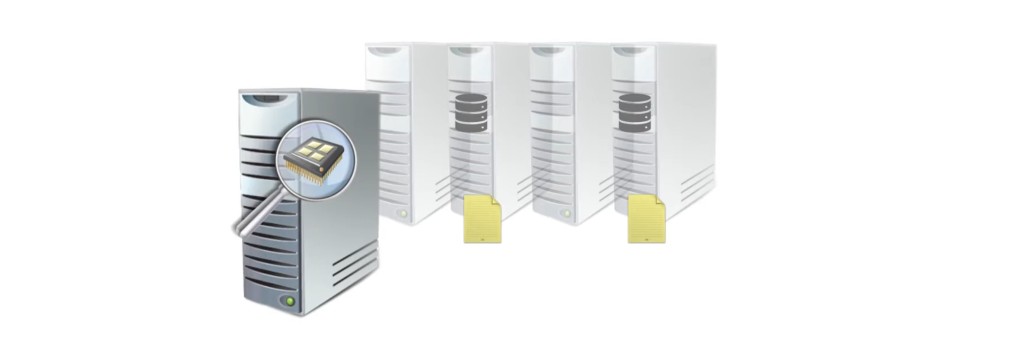
Core licenses
- Assign a SQL Server Core license to each virtual core used by virtual machine or container running SQL Server.
- Minimum of 4 Core licenses per virtual machine.
- Applicable for SQL Server Standard and Enterprise.
Be aware that Core-based license for virtual OSE becomes benefit of Software Assurance since SQL Server Version SQL Server 2022 released Nov 16, 2022. Server Licenses (per core) – Licensing by Individual Virtual OSE are available for subscription licenses or licenses with active Software Assurance only for SQL Server 2022 and higher.
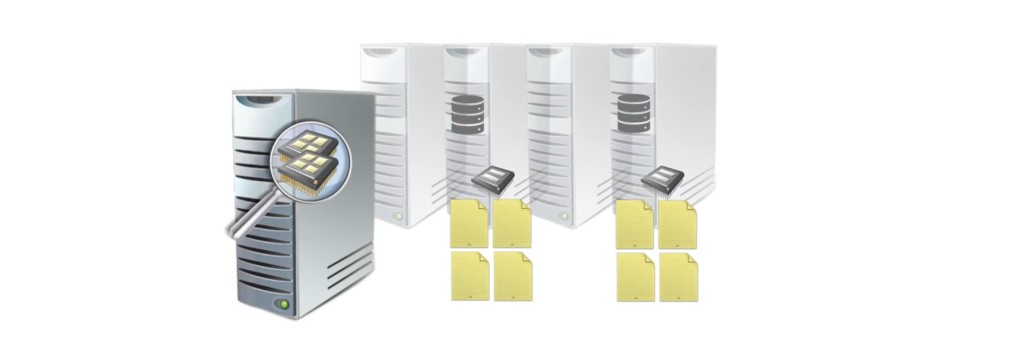
Enterprise Core licenses rights
- Licensing all the physical cores gives rights to run SQL Server in one virtual machine or container per Core license
- As license stack, additional license for physical core giver right to run additional SQL server on virtual machine.
- Applicable for SQL Server Enterprise only.
Be aware that Core-based license for virtual OSE becomes benefit of Software Assurance since SQL Server Version SQL Server 2022 released Nov 16, 2022. Server Licenses (per core) – Licensing by Individual Virtual OSE are available for subscription licenses or licenses with active Software Assurance only for SQL Server 2022 and higher.
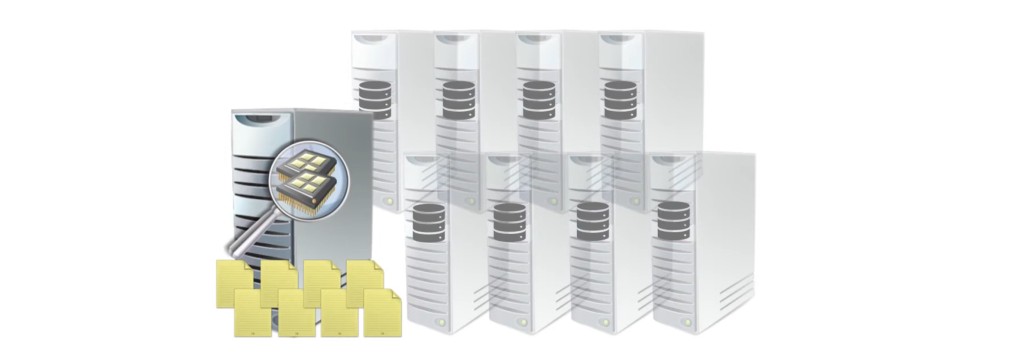
Enterprise Core licenses with SA rights
- License all the physical cores with Enterprise Edition Core licenses with Software Assurance gives rights to run unlimited number of SQL Server on virtual machines.
- Applicable for SQL Server Enterprise with SA only.
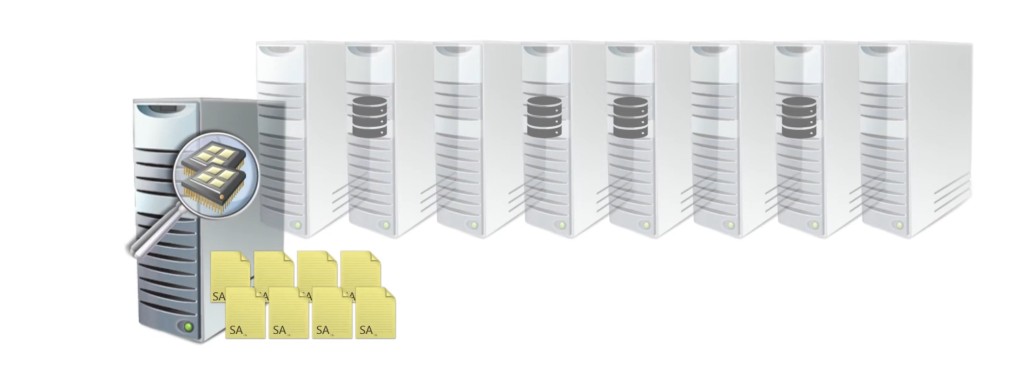
Failover Scenarios
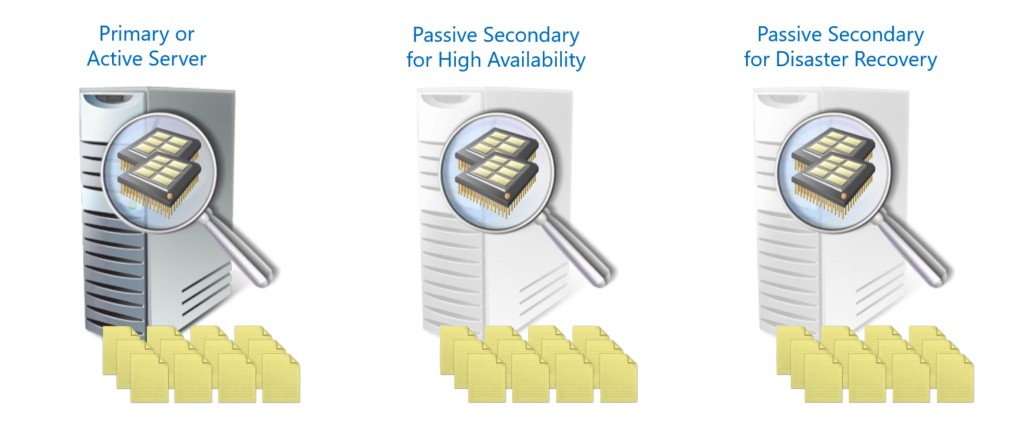
Licensing across Server Farm with SA
- Once Active server from the Server Farm is completely licensed by Core license with SA, the both of the passive servers are covered with no further licensing requirements.
- Same applies on the Server + CAL with SA - both Server license and CALs need to be with SA.
- In case of Active - Active solution, all active nodes must be licensed with SA.
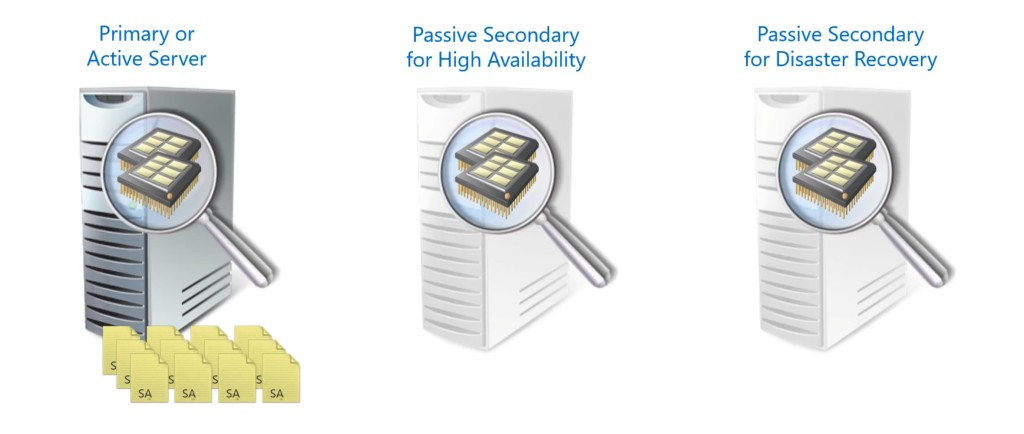
All servers in Server Farm must have number of cores as the active server in order to cover proper license in case of failover.
Licensing across Server Farm without SA
- In case licensing Server Farm by licensing without SA, all nodes must be licensed regardless cluster mode.